If you get Food Stamps support from the Supplemental Nutrition Assistance Program (SNAP), you get amount on an EBT card every month. That card works like a ATM card.
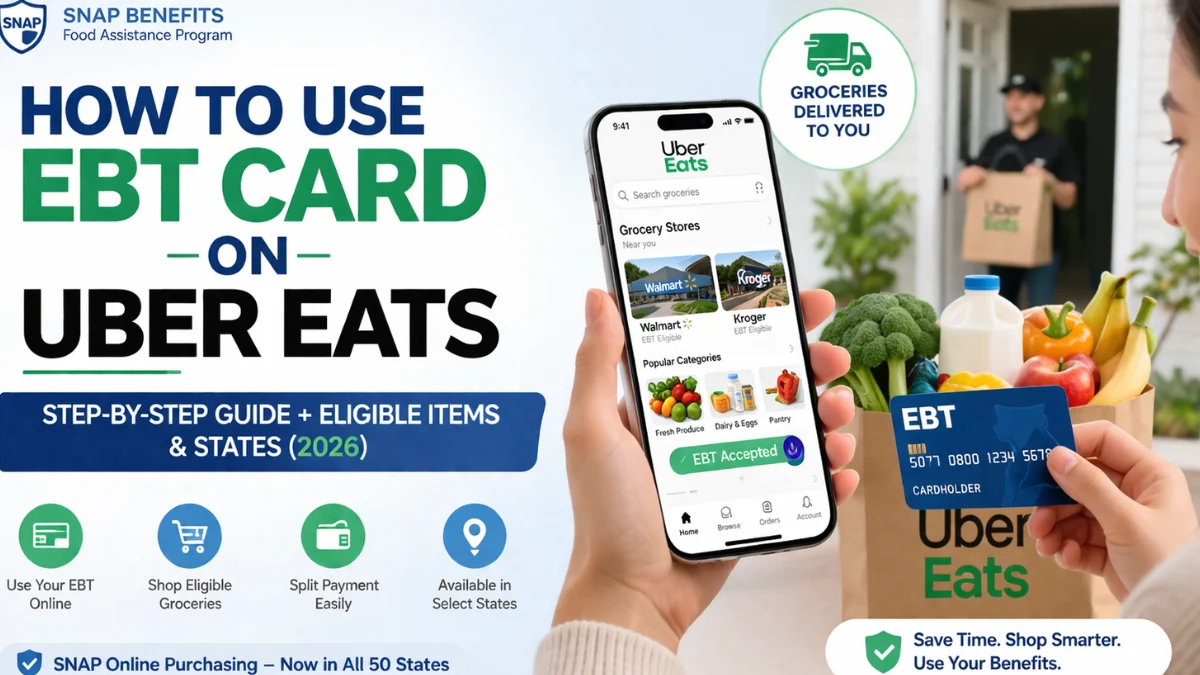
Now, applications like Uber Eats let you use that card online to order groceries instead of going to a store physically.
But here’s the important part:
You can only use EBT for basic food items, not everything.
This whole system is managed by the US Department of Agriculture, which decides what you can and cannot buy.
Can We Use EBT on Uber Eats? (Quick Answer)
Yes, you can use EBT on Uber Eats—but only for grocery items that are allowed under SNAP.
You cannot use it for delivery fees, tips, or hot restaurant food.
Where Is EBT Accepted on Uber Eats in the US?
Not every place supports it yet.
It depends on your state and whether it’s part of the SNAP Online Purchasing Pilot.
Common States Where It Works:
- California
- Texas
- New York
- Florida
Major Cities with Strong Coverage:
- Los Angeles
- Houston
- New York City
👉 Easy tip: Just open the app and check—if you see “EBT accepted,” you’re good.
Step-by-Step: How to Use EBT Card on Uber Eats
Follow these steps like a checklist:
Step 1: Add Your EBT Card
- Open Uber Eats
- Go to Account → Wallet
- Tap “Add Payment Method”
- Enter your EBT card details
Step 2: Find EBT-Eligible Stores
Look for:
- Grocery stores
- Label that says “EBT accepted”
Step 3: Add Eligible Items to Cart
Pick normal food like:
- Fruits
- Bread
- Milk
- Eggs
Step 4: Checkout with EBT
- Select EBT for food items
- Add debit/credit card for other charges
What Can You Buy with EBT on Uber Eats?
Allowed Items
| Category | Examples |
| Fresh produce | Fruits, vegetables |
| Dairy | Milk, cheese |
| Proteins | Meat, eggs |
| Pantry items | Rice, cereal, canned food |
Think: basic grocery food you cook at home.
Not Allowed
| Category | Examples |
| Hot food | Prepared meals |
| Alcohol | Beer, wine |
| Non-food | Cleaning supplies |
| Pet food | Dog/cat food |
If it’s not food for you to cook/eat at home, it’s probably not allowed.
Understanding Payment Split (Very Important)
This is where most people get confused—so let’s make it simple.
How Payment Works:
| Expense | Payment Method |
| SNAP-eligible groceries | EBT |
| Delivery fee | Debit/Credit |
| Service fee | Debit/Credit |
| Tips | Debit/Credit |
Example:
You order $40 groceries + $6 delivery
- $40 → EBT pays
- $6 → Your card pays
Real-Life Scenarios
Scenario 1: Grocery-Only Order
Someone in Houston orders milk, bread, eggs.
- Everything paid by EBT
Scenario 2: Mixed Cart
Family in Los Angeles orders food + cleaning spray.
- Food → EBT
- Cleaning spray → Debit card
Scenario 3: Error Case
You try ordering from a restaurant.
❌ EBT won’t work
✔ Fix: Choose a grocery store instead
Common Problems and How to Fix Them
1. EBT Card Not Working
Reasons:
- Store doesn’t accept EBT
- Wrong items
- No balance
Fix: Change store or check balance
2. Payment Declined
Check:
- Your PIN
- Your balance
3. Can’t Find EBT Stores
Try searching:
- “EBT grocery delivery near me”
4. Mixed Cart Errors
Remove items like:
- Soap
- Pet food
- Hot food
Pros and Cons of Using EBT on Uber Eats
Benefits
- Super easy (no need to go outside)
- Saves time
- Good for busy or sick people
Limitations
- Not available everywhere
- Delivery fee is extra
- Not all stores support it
Best Practices to Maximize Your SNAP Benefits
Use these simple tips:
- Always pick stores with “EBT accepted”
- Don’t mix allowed and not allowed items
- Order more items at once (save delivery fee)
- Keep checking your balance
Alternatives to Uber Eats for EBT Grocery Delivery
If Uber Eats doesn’t work, try:
- Amazon
- Walmart
- Instacart
These apps sometimes have more stores available.
Important Rules and Restrictions You Should Know
- You can’t buy hot food with EBT
- Only approved stores work
- Only food items are allowed
- Misusing EBT can cause problems
How to Check If EBT Works Near You
Quick checklist:
- Open Uber Eats
- Search grocery stores
- Look for “EBT accepted”
- Try adding items
If EBT shows at checkout → it works
Helpful Resources
- Official SNAP & EBT online use guide (all 50 states)
- For more detail must visit Uber Eats official website
- Complete EBT shopping guide for all 50 states
- State-wise EBT discounts & benefits list
FAQs: Use EBT on Uber Eats
1. Can you use EBT on Uber Eats for groceries?
Yes, for basic grocery items only.
2. Can I pay delivery fees with EBT?
No, you need a debit or credit card.
3. Why is my EBT card not working on Uber Eats?
Wrong store, wrong items, or low balance.
4. Does Uber Eats accept EBT in all states?
No, only in supported states.
5. Can I use EBT for hot food or restaurants?
No, not normally.
6. Can I split payments between EBT and card?
Yes, this is how it works.
7. What stores accept EBT on Uber Eats?
Only grocery stores that show “EBT accepted.”
8. Can I use EBT cash benefits on Uber Eats?
No, only SNAP food benefits work.
Conclusion
Using EBT on Uber Eats is actually pretty easy once you understand the basics.
Just remember:
- Add your EBT card
- Choose the right store
- Buy only allowed food
- Pay extra fees with your card
If you follow these steps, you won’t face errors and you’ll be able to order groceries smoothly from home.